Caption Text Alignment
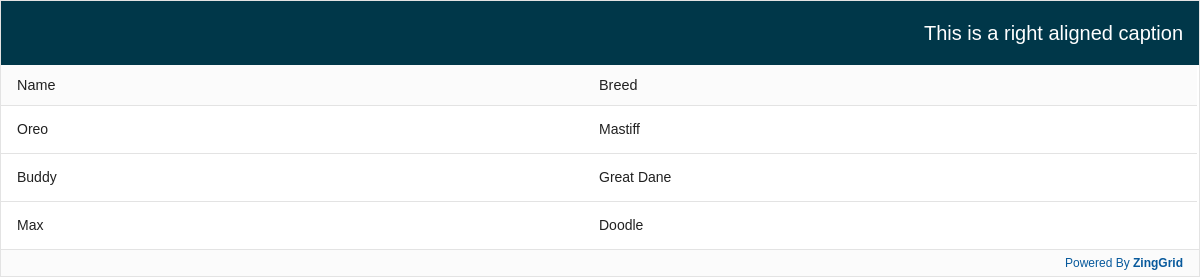
Align your caption text to the left, center, or right easily with a single attribute.
Result
Full
HTML
CSS
JS
Edit
Download
Full Code
<!DOCTYPE html>
<html>

<head>
  <meta charset="utf-8">
  <title>ZingGrid Demo</title>
  <script nonce="undefined" src="https://cdn.zinggrid.com/zinggrid.min.js"></script>
  <style>
    body {
      background: #e6e6e6;
    }

    zing-grid[loading] {
      height: 277px;
    }
  </style>
</head>

<body>
  <zing-grid data='[{"name": "Oreo","breed":"Mastiff"}, {"name": "Buddy","breed":"Great Dane"}, {"name": "Max","breed":"Doodle"}]'>
    <zg-caption align="right">This is a right aligned caption</zg-caption>
  </zing-grid>
  <script>
    ZingGrid.setLicense(['26ccbfec16b8be9ee98c7d57bee6e498']);
  </script>
</body>

</html>
<!DOCTYPE html>
<html>
  <head>
    <meta charset="utf-8">
    <title>ZingGrid Demo</title>
    <script src="https://cdn.zinggrid.com/zinggrid.min.js"></script>
  </head>
  <body>
    <zing-grid
      data='[{"name": "Oreo","breed":"Mastiff"}, {"name": "Buddy","breed":"Great Dane"}, {"name": "Max","breed":"Doodle"}]'>
    	 <zg-caption align="right">This is a right aligned caption</zg-caption>
    </zing-grid>
	</body>
</html>
body{background:#e6e6e6;}
// No JS code
Interested in this demo? Modify it to your needs in ZingSoft Studio, our testing sandbox. It's free to sign up, and you can come back and edit at any time!