[[index.Bio]]
Expandable Cell Content
ZingGrid provides custom HTML, CSS, and JavaScript to easily create an accordion cell.
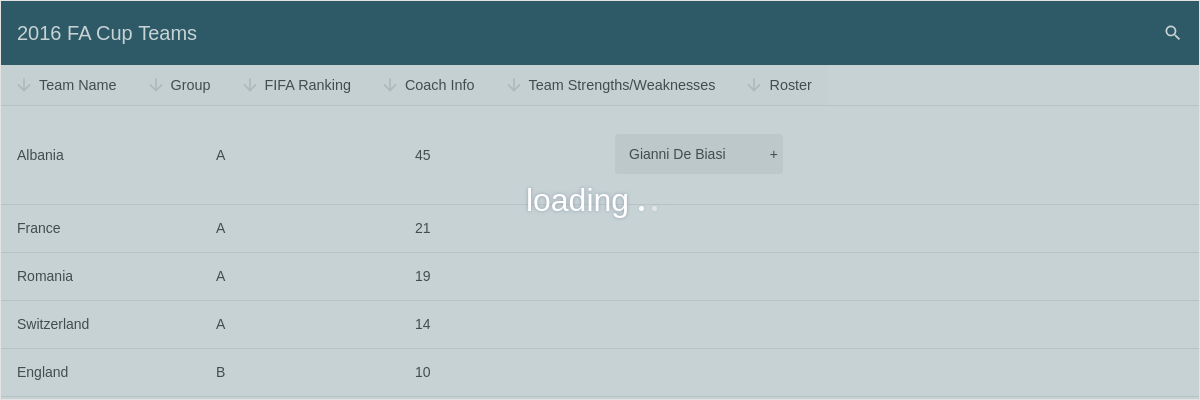
Result
Full
HTML
CSS
JS
Edit
Download
Strengths
[[index.strengths]]
Weaknesses
[[index.weaknesses]]
Full Code
<!DOCTYPE html>
<html class="zg-html">

<head>
  <meta charset="utf-8">
  <title>ZingGrid Demo</title>
  <script nonce="undefined" src="https://cdn.zinggrid.com/zinggrid.min.js"></script>
  <style>
    zing-grid[loading] {
      height: 400px;
    }

    .accordion-flex-layout {
      --zg-cell-vertical-align: top;
    }

    /* target accordion for mobile and display as column*/
    zing-grid[viewport="mobile"] .accordion-container {
      flex-direction: column;
      flex-grow: 1;
    }

    /* Main accordion styling */
    zing-grid:not([viewport="mobile"]) .accordion {
      padding-top: 2em;
    }

    .accordion input {
      display: none;
    }

    .accordion label {
      position: relative;
      display: block;
      background: #eee;
      border-radius: .25em;
      cursor: pointer;
      margin-bottom: .125em;
      padding: .75rem 1em;
      z-index: 20;
    }

    .accordion label:hover {
      background: #ccc;
    }

    .accordion input:checked+label {
      background: #ccc;
      border-bottom-right-radius: 0;
      border-bottom-left-radius: 0;
      color: white;
      margin-bottom: 0;
    }

    .accordion label::after {
      content: '+';
      position: absolute;
      right: 5px;
    }

    .accordion input:checked+label::after {
      content: '-';
      position: absolute;
      right: 5px;
    }

    .accordion article {
      background: #f7f7f7;
      /*
	 * max-height allows height transition in CSS
	 * use height: 0px; otherwise
	 */
      max-height: 0px;
      overflow: hidden;
      z-index: 10;
      opacity: 0;
      /* allow closing transition */
      -webkit-transition: all 0.7s ease;
      -moz-transition: all 0.7s ease;
      -o-transition: all 0.7s ease;
      transition: all 0.7s ease;
    }

    .accordion article {
      padding: 1em;
      cursor: default;
    }

    .accordion input:checked article {}

    .accordion input:checked~article {
      border-bottom-left-radius: .25em;
      border-bottom-right-radius: .25em;
      /*
	 * max-height allows height transition in CSS
	 * use height: auto; otherwise
	 */
      max-height: 500px;
      margin-bottom: .125em;
      opacity: 1;
      /* allow opening transition */
      -webkit-transition: all 1s ease;
      /* Safari */
      -moz-transition: all 1s ease;
      -o-transition: all 1s ease;
      transition: all 1s ease;
    }

    zing-grid[loading] {
      height: 400px;
    }
  </style>
</head>

<body class="zg-body">

  <zing-grid caption="2016 FA Cup  Teams" pager page-size="5" search sort loading>
    <zg-source>
      <p>Source: <a href="https://github.com/jokecamp/FootballData" target="_blank">https://github.com/jokecamp/FootballData</a>
      </p>
    </zg-source>
    <zg-data>
      <zg-param name="src" value="https://storage.googleapis.com/zinggrid-pwa.appspot.com/2016-fa-cup.json"></zg-param>
      <zg-param name="recordPath" value="sheets.Teams"></zg-param>
    </zg-data>
    <zg-colgroup>
      <zg-column index="Team" header="Team Name"></zg-column>
      <zg-column index="Group" header="Group"></zg-column>
      <zg-column index="FIFA ranking" header="FIFA Ranking" width="fitcontent"></zg-column>
      <zg-column renderer="_bindAccordion" cell-class="accordion-flex-layout" index="Coach, Bio" header="Coach Info" width=250>
        <template>
          <section class="accordion">
            <input type="checkbox" id="changeme">
            <label for="changeme">[[index.Coach]]</label>
            <article>
              <p class="coachBio">[[index.Bio]]</p>
            </article>
          </section>
        </template>
      </zg-column>

      <zg-column cell-class="accordion-flex-layout" index="strengths,weaknesses" header="Team Strengths/Weaknesses" renderer="_bindAccordion">
        <template>
          <style>
            h3 {
              padding-bottom: 0;
              margin-bottom: 0;
            }

            h3+p {
              margin-top: 3px;
              margin-left: 8px;
            }
          </style>
          <section class="accordion">
            <input type="checkbox" id="changeme" />
            <label for="changeme">Expand Me</label>
            <article>
              <h3>Strengths</h3>
              <p class="strengths">[[index.strengths]]</p>
              <h3>Weaknesses</h3>
              <p class="weakness">[[index.weaknesses]]</p>
            </article>
          </section>
        </template>
      </zg-column>
      <zg-column index="Team" header="Roster" width="350"></zg-column>
    </zg-colgroup>
  </zing-grid>

  <script>
    ZingGrid.setLicense(['26ccbfec16b8be9ee98c7d57bee6e498']); // global event handler for expanding dropdowns
    const expandHandler = function() {
      this.classList.toggle('active');
      this.nextElementSibling.classList.toggle('show');
    };
    // generate randomId for dropdownsreturn Math.random().toString(36).replace(/[^a-z]+/g, '').substr(2, 10);
    const randomId = () => {
      return Math.random().toString(36).replace(/[^a-z]+/g, '').substr(2, 10);
    };
    // custom render function for coach info accordion
    // custom render function for coach info accordion
    function _bindAccordion(name, bio, cellRef, $cell) {
      // grab template contents
      const $input = cellRef.querySelector('input');
      const $label = cellRef.querySelector('label');
      // assign template attributes and custom id's
      // so the label for will trigger the dropdown
      const dropdownID = randomId();
      $input.setAttribute('id', `accordion_${dropdownID}`);
      $label.setAttribute('for', `accordion_${dropdownID}`);
    };
  </script>
</body>

</html>
<!DOCTYPE html>
<html class="zg-html">
	<head>
    <meta charset="utf-8">
    <title>ZingGrid Demo</title>
		<script src="https://cdn.zinggrid.com/zinggrid.min.js"></script>
	</head>
	<body class="zg-body">

    <zing-grid
      caption="2016 FA Cup  Teams"
      pager
      page-size="5"
      search
      sort
      loading>
      <zg-source>
        <p>Source: <a href="https://github.com/jokecamp/FootballData" target="_blank">https://github.com/jokecamp/FootballData</a>
        </p>
      </zg-source>
      <zg-data>
        <zg-param name="src" value="https://storage.googleapis.com/zinggrid-pwa.appspot.com/2016-fa-cup.json"></zg-param>
        <zg-param name="recordPath" value="sheets.Teams"></zg-param>
      </zg-data>
		  <zg-colgroup>
		    <zg-column index="Team" header="Team Name"></zg-column>
		    <zg-column index="Group" header="Group"></zg-column>
		    <zg-column index="FIFA ranking" header="FIFA Ranking" width="fitcontent"></zg-column>
		    <zg-column renderer="_bindAccordion" cell-class="accordion-flex-layout" index="Coach, Bio" header="Coach Info" width=250>
          <template>
            <section class="accordion">
            	<input type="checkbox" id="changeme" >
      				<label for="changeme">[[index.Coach]]</label>
      				<article>
      					<p class="coachBio">[[index.Bio]]</p>
      				</article>
    				</section>
          </template>
		    </zg-column>

		    <zg-column
		      cell-class="accordion-flex-layout"
		      index="strengths,weaknesses"
		      header="Team Strengths/Weaknesses"
		      renderer="_bindAccordion">
          <template>
            <style>
              h3 {
                padding-bottom:0;
                margin-bottom:0;
              }
              h3 + p {
                margin-top:3px;
                margin-left:8px;
              }
            </style>
            <section class="accordion">
            	<input type="checkbox" id="changeme" />
      				<label for="changeme">Expand Me</label>
      				<article>
        	      <h3>Strengths</h3>
        	      <p class="strengths">[[index.strengths]]</p>
         	      <h3>Weaknesses</h3>
        	      <p class="weakness" >[[index.weaknesses]]</p>
      				</article>
    				</section>
      		</template>
		    </zg-column>
		    <zg-column index="Team" header="Roster" width="350"></zg-column>
		  </zg-colgroup>
		</zing-grid>

	</body>
</html>
zing-grid[loading] { height: 400px; }

.accordion-flex-layout {
  --zg-cell-vertical-align: top;
}

/* target accordion for mobile and display as column*/
zing-grid[viewport="mobile"]  .accordion-container {
  flex-direction:column;
  flex-grow:1;
}

/* Main accordion styling */
zing-grid:not([viewport="mobile"]) .accordion {
  padding-top: 2em;
}
.accordion input {
	display: none;
}

.accordion label {
	position:relative;
  display: block;
	background: #eee;
	border-radius: .25em;
	cursor: pointer;
	margin-bottom: .125em;
	padding: .75rem 1em;
	z-index: 20;
}

.accordion label:hover {
	background: #ccc;
}

.accordion input:checked + label {
	background: #ccc;
	border-bottom-right-radius: 0;
	border-bottom-left-radius: 0;
	color: white;
	margin-bottom: 0;
}

.accordion label::after {
  content: '+';
  position:absolute;
  right:5px;
}

.accordion input:checked + label::after {
  content: '-';
  position:absolute;
  right:5px;
}

.accordion article {
	background: #f7f7f7;
	/*
	 * max-height allows height transition in CSS
	 * use height: 0px; otherwise
	 */
	max-height:0px;
	overflow:hidden;
	z-index:10;
	opacity:0;
	/* allow closing transition */
	-webkit-transition: all 0.7s ease;
  -moz-transition: all 0.7s ease;
  -o-transition: all 0.7s ease;
	transition: all 0.7s ease;
}

.accordion article {
	padding: 1em;
	cursor: default;
}

.accordion input:checked article {
}

.accordion input:checked ~ article {
	border-bottom-left-radius: .25em;
	border-bottom-right-radius: .25em;
	/*
	 * max-height allows height transition in CSS
	 * use height: auto; otherwise
	 */
	max-height: 500px;
	margin-bottom: .125em;
	opacity: 1;
	/* allow opening transition */
	-webkit-transition: all 1s ease; /* Safari */
  -moz-transition: all 1s ease;
  -o-transition: all 1s ease;
	transition: all 1s ease;
}
// global event handler for expanding dropdowns
const expandHandler = function () {
    this.classList.toggle('active');
    this.nextElementSibling.classList.toggle('show');
};
// generate randomId for dropdownsreturn Math.random().toString(36).replace(/[^a-z]+/g, '').substr(2, 10);
const randomId = () => {
    return Math.random().toString(36).replace(/[^a-z]+/g, '').substr(2, 10);
};
// custom render function for coach info accordion
// custom render function for coach info accordion
function _bindAccordion(name, bio, cellRef, $cell) {
    // grab template contents
    const $input = cellRef.querySelector('input');
    const $label = cellRef.querySelector('label');
    // assign template attributes and custom id's
    // so the label for will trigger the dropdown
    const dropdownID = randomId();
    $input.setAttribute('id', `accordion_${dropdownID}`);
    $label.setAttribute('for', `accordion_${dropdownID}`);
}
;
Interested in this demo? Modify it to your needs in ZingSoft Studio, our testing sandbox. It's free to sign up, and you can come back and edit at any time!