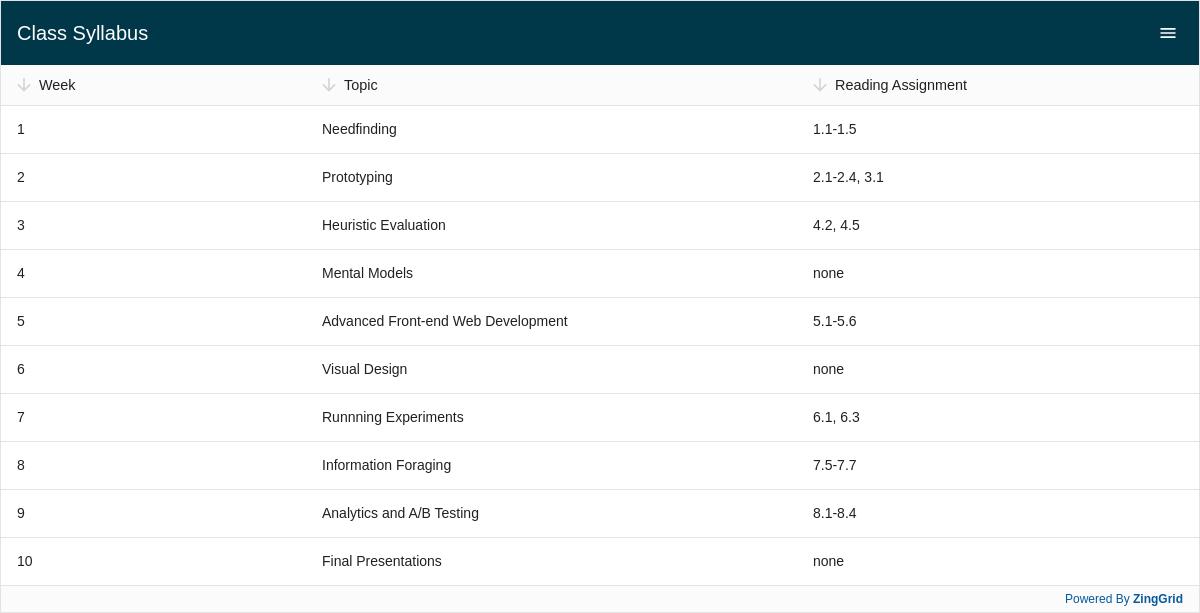
Result
Full
HTML
CSS
JS
Edit
Download
Full Code
<!DOCTYPE html>
<html class="zg-html">

<head>
  <meta charset="utf-8">
  <title>ZingGrid Demo</title>
  <script nonce="undefined" src="https://cdn.zinggrid.com/zinggrid.min.js"></script>
  <style>
    .zg-html,
    .zg-body {
      height: 100%;
      width: 100%;
      margin: 0;
      padding: 0;
    }

    zing-grid[loading] {
      height: 613px;
    }
  </style>
</head>

<body class="zg-body">
  <zing-grid caption="Class Syllabus" editor sort static-menu>
    <zg-colgroup>
      <zg-column index="week" header="Week"></zg-column>
      <zg-column index="topic" header="Topic"></zg-column>
      <zg-column index="reading" header="Reading Assignment"></zg-column>
    </zg-colgroup>
    <zg-data data='[
		    {"week": 1, "topic": "Needfinding", "reading": "1.1-1.5"},
		    {"week": 2, "topic": "Prototyping", "reading": "2.1-2.4, 3.1"},
		    {"week": 3, "topic": "Heuristic Evaluation", "reading": "4.2, 4.5"},
		    {"week": 4, "topic": "Mental Models", "reading": "none"},
		    {"week": 5, "topic": "Advanced Front-end Web Development", "reading": "5.1-5.6"},
		    {"week": 6, "topic": "Visual Design", "reading": "none"},
		    {"week": 7, "topic": "Runnning Experiments", "reading": "6.1, 6.3"},
		    {"week": 8, "topic": "Information Foraging", "reading": "7.5-7.7"},
		    {"week": 9, "topic": "Analytics and A/B Testing", "reading": "8.1-8.4"},
		    {"week": 10, "topic": "Final Presentations", "reading": "none"}]'></zg-data>
  </zing-grid>
  <script>
    ZingGrid.setLicense(['26ccbfec16b8be9ee98c7d57bee6e498']);
  </script>
</body>

</html>
<!DOCTYPE html>
<html class="zg-html">
	<head>
    <meta charset="utf-8">
    <title>ZingGrid Demo</title>
		<script src="https://cdn.zinggrid.com/zinggrid.min.js"></script>
	</head>
	<body class="zg-body">
		<zing-grid
      caption="Class Syllabus"
      editor
      sort
      static-menu>
		  <zg-colgroup>
		    <zg-column index="week" header="Week"></zg-column>
		    <zg-column index="topic" header="Topic"></zg-column>
		    <zg-column index="reading" header="Reading Assignment"></zg-column>
		  </zg-colgroup>
		  <zg-data data='[
		    {"week": 1, "topic": "Needfinding", "reading": "1.1-1.5"},
		    {"week": 2, "topic": "Prototyping", "reading": "2.1-2.4, 3.1"},
		    {"week": 3, "topic": "Heuristic Evaluation", "reading": "4.2, 4.5"},
		    {"week": 4, "topic": "Mental Models", "reading": "none"},
		    {"week": 5, "topic": "Advanced Front-end Web Development", "reading": "5.1-5.6"},
		    {"week": 6, "topic": "Visual Design", "reading": "none"},
		    {"week": 7, "topic": "Runnning Experiments", "reading": "6.1, 6.3"},
		    {"week": 8, "topic": "Information Foraging", "reading": "7.5-7.7"},
		    {"week": 9, "topic": "Analytics and A/B Testing", "reading": "8.1-8.4"},
		    {"week": 10, "topic": "Final Presentations", "reading": "none"}]'></zg-data>
		</zing-grid>
	</body>
</html>
.zg-html, .zg-body {
	height:100%;
	width:100%;
	margin:0;
	padding:0;
}
// No JS code
Interested in this demo? Modify it to your needs in ZingSoft Studio, our testing sandbox. It's free to sign up, and you can come back and edit at any time!