<zg-focus>
Version 1
Interactive Storybook Playground
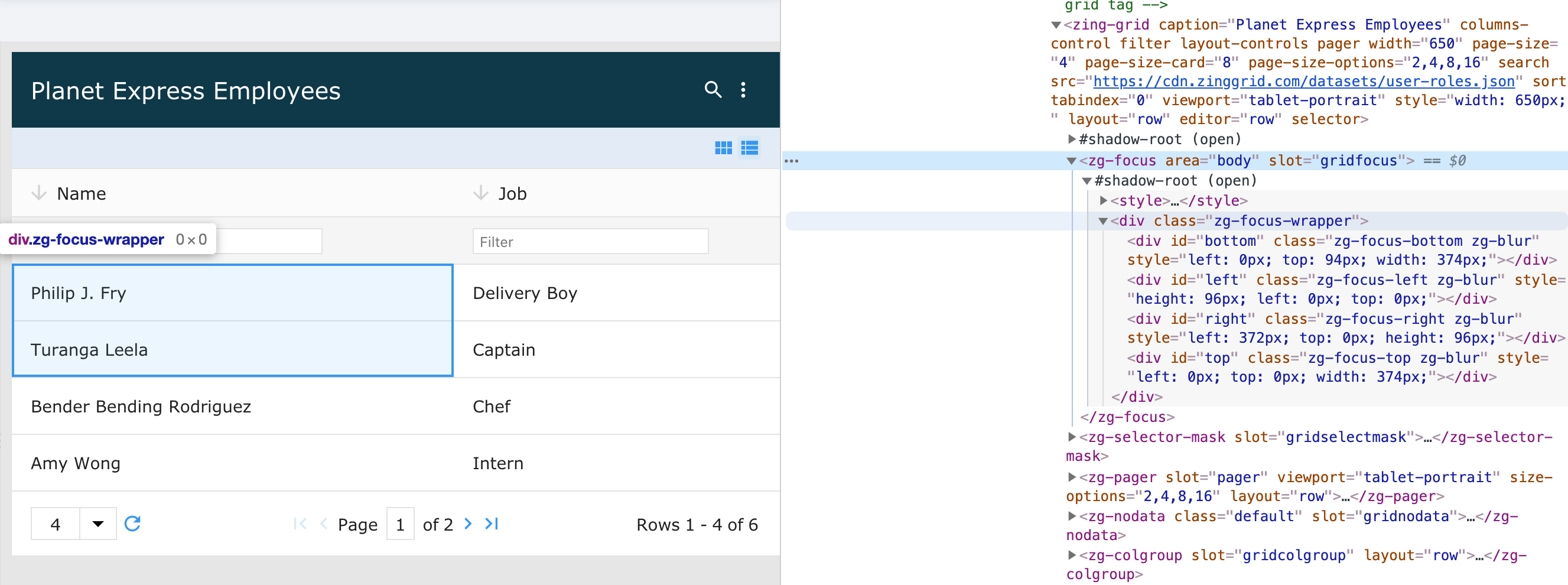
The <zg-focus> tag is a web component that is used as a container for the focus of cell(s) and used as a
CSS target for styling by the developer. The <zg-focus> web component should not be accessed specifically beyond styling.
| Component | Relationship | Type | Ancestor |
|---|---|---|---|
| ZingGrid | Parent | Generated | n/a |
Related Web Components
Usage
The <zg-focus> element is a generated element added to <zing-grid> when the selector attribute is defined.
<zing-grid selector
  src="https://cdn.zinggrid.com/datasets/user-roles.json">
</zing-grid>
Attributes
There are no attributes available for the <zg-focus> web component.
CSS Variables
<zg-focus> can be styled with CSS variables, like so:
:root {
--zg-focus-border-top: 1px solid red;
}
Below is a list of all the associated --zg-focus CSS variables. Check out the full list of CSS variables or our Styling Basics guide to learn more about styling the grid.
| Name | Default | Description | Demo | CSS Ref |
|---|---|---|---|---|
| --zg-focus-border | 2px solid var(--theme-color-primary) | Styles the border of cells on focus | ||
| --zg-focus-border-bottom | var(--zg-focus-border, 2px solid var(--theme-color-primary)) | Sets the bottom border of cells on focus | ||
| --zg-focus-border-left | var(--zg-focus-border, 2px solid var(--theme-color-primary)) | Sets the left border of cells on focus | ||
| --zg-focus-border-right | var(--zg-focus-border, 2px solid var(--theme-color-primary)) | Sets the right border of cells on focus | ||
| --zg-focus-border-top | var(--zg-focus-border, 2px solid var(--theme-color-primary)) | Sets the top border of cells on focus | ||
| --zg-focus-bottom-transform | none | Sets the transform of bottom border of cells on focus | ||
| --zg-focus-left-transform | none | Sets the transform of left border of cells on focus | ||
| --zg-focus-right-transform | none | Sets the transform of right border of cells on focus | ||
| --zg-focus-top-transform | none | Sets the transform of top border of cells on focus |
CSS Selector
<zg-focus> can be styled by common CSS selectors, like so:
zg-focus {
  border: 1px solid red;
}
CSS Shadow Parts
<zg-focus> exposed elements within the shadow can be styled by CSS shadow parts, like so:
zg-focus::part(focus) {
  background-color: red;
}
Below is a list of all the associated ZGFocus shadow parts. Check out the full list of CSS shadow parts or our Styling Basics guide to learn more about styling the grid.
| Name | Description |
|---|---|
| bottom | The bottom edge of the focus |
| focus | Focus container |
| left | The left edge of the focus |
| right | The right edge of the focus |
| top | The top edge of the focus |
Slots
There are no slots available for the <zg-focus> web component.
[api: <zg-focus>]