<zg-footer>
Interactive Storybook Playground
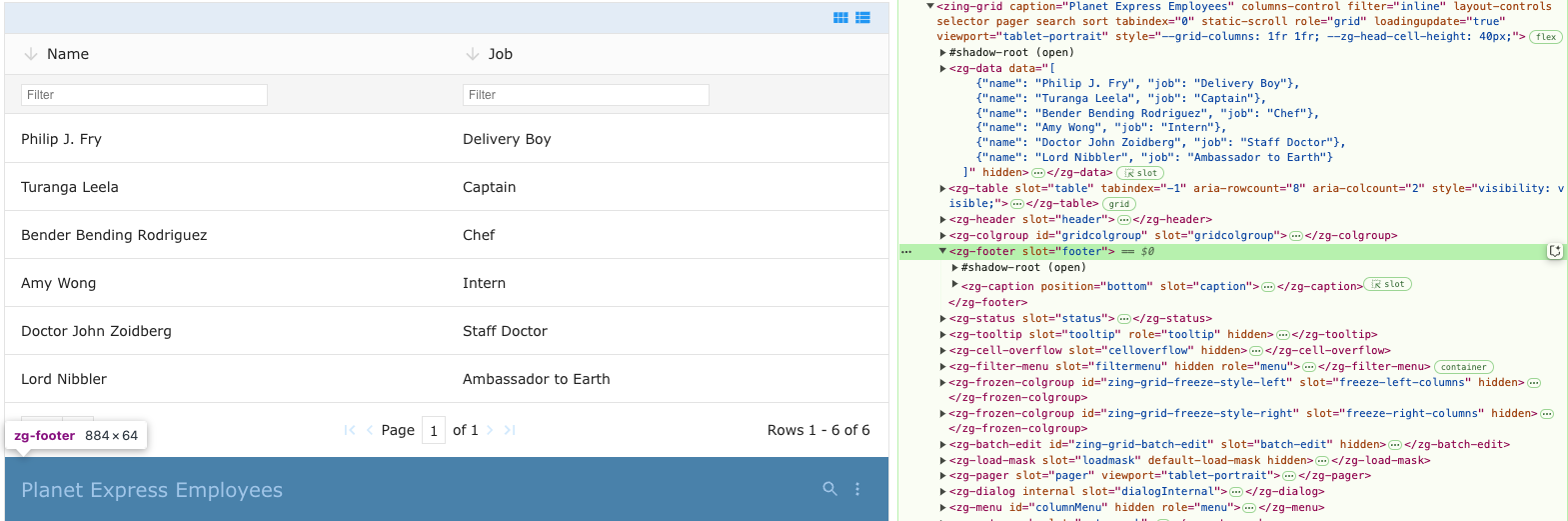
The <zg-footer> tag is a web component that is a simple container component for content placed at the bottom of a grid. It can contain <zg-caption> or <zg-source>, but can also contain arbitrarily defined elements inserted by the developer. You can style the <zg-footer> through CSS variables or the zg-footer CSS selector.
| Component | Relationship | Type | Ancestor |
|---|---|---|---|
| ZingGrid | Parent | Generated, Manual | n/a |
| ZGButton | Child | Manual | n/a |
| ZGCaption | Child | Generated, Manual | n/a |
| ZGCheckbox | Child | Manual | n/a |
| ZGIcon | Child | Manual | n/a |
| ZGInput | Child | Manual | n/a |
| ZGSelect | Child | Manual | n/a |
| ZGSource | Child | Generated, Manual | n/a |
| ZGText | Child | Manual | n/a |
Related Web Components
Usage
A <zg-footer> tag can be manually inserted inside the grid as slotted content. The footer is styleable via CSS variables or the zg-footer CSS selector.
<zing-grid src="https://cdn.zinggrid.com/datasets/user-roles.json">
  <zg-footer>Hello World</zg-footer>
</zing-grid>
Attributes
There are no attributes available for the <zg-footer> web component.
CSS Variables
<zg-footer> can be styled with CSS variables, like so:
:root {
--zg-footer-background: red;
}
Below is a list of all the associated --zg-footer CSS variables. Check out the full list of CSS variables or our Styling Basics guide to learn more about styling the grid.
| Name | Default | Description | Demo | CSS Ref |
|---|---|---|---|---|
| --zg-footer-background | 0 | Styles the background of footer | ||
| --zg-footer-border-bottom | var(--zg-footer-border, 0) | Styles the bottom border of footer | ||
| --zg-footer-border-left | var(--zg-footer-border, 0) | Styles the left border of footer | ||
| --zg-footer-border-right | var(--zg-footer-border, 0) | Styles the right border of footer | ||
| --zg-footer-border-top | var(--zg-footer-border, 0) | Styles the top border of footer |
CSS Selector
<zg-footer> can be styled by common CSS selectors, like so:
zg-footer {
  padding: 2rem;
}
Slots
<zg-footer> contains placeholders to allow adding markup inside the component.
<zg-footer>Slotted Content</zg-footer>
Below is a list of all the associated ZGFooter slots. Check out the full list of slots.
[api: <zg-footer>]