<zg-checkbox>
Version 1
Interactive Storybook Playground
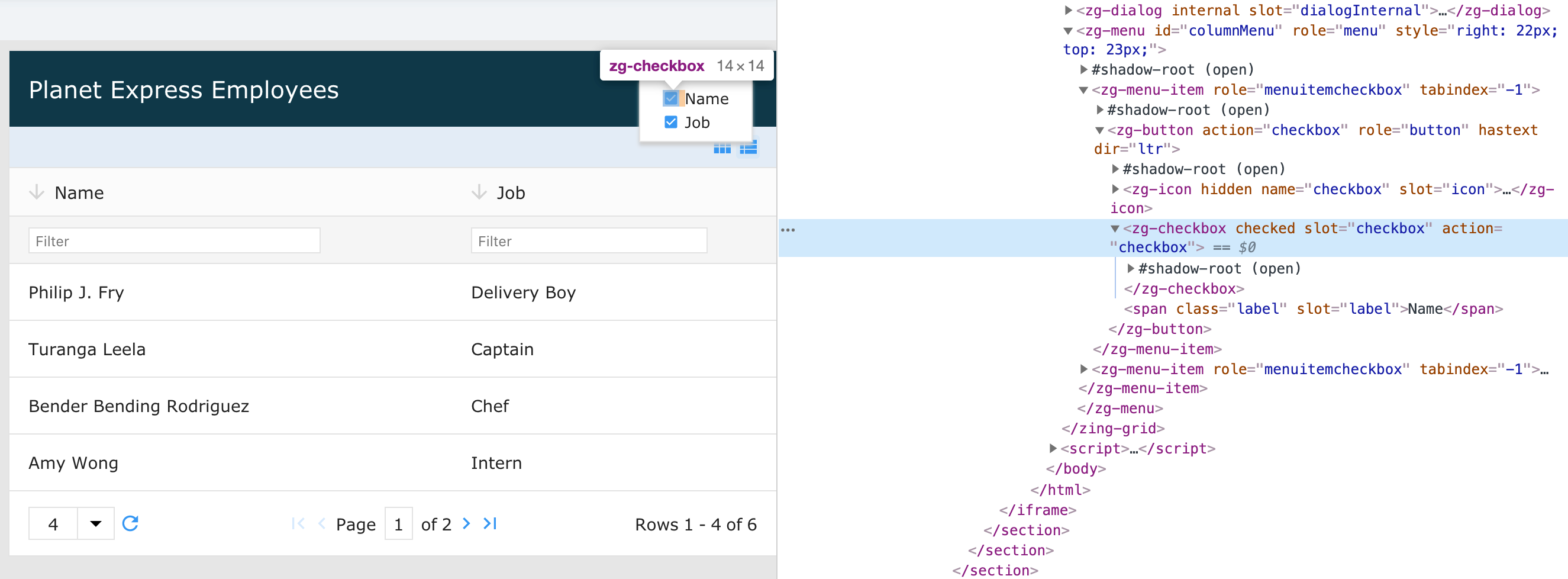
The <zg-checkbox> tag is a web component that controls the functionality and styling for checkbox features, such as column type selector. This web component is inserted by the grid or can be manually inserted by the user. The component can be styled by CSS variables or the zg-checkbox CSS selector.
| Component | Relationship | Type | Ancestor |
|---|---|---|---|
| ZGButton | Child | Generated | ZGBody |
| ZGCheckbox | Child | Generated | ZGBody |
| ZGIcon | Child | Generated | ZGBody |
| ZGInput | Child | Generated | ZGBody |
| ZGSelect | Child | Generated | ZGBody |
| ZGText | Child | Generated | ZGBody |
Related Web Components
Usage
<zg-checkbox> is automatically inserted when a feature that uses it is enabled, like row selection or column hiding.
<zing-grid
  columns-control
  src="https://cdn.zinggrid.com/datasets/user-roles.json">
  <zg-column type="selector"></zg-column>
  <zg-column index="name"></zg-column>
  <zg-column index="job"></zg-column>
</zing-grid>
Or, <zg-checkbox> can be inserted manually:
<zing-grid
  columns-control
  src="https://cdn.zinggrid.com/datasets/user-roles.json">
  <zg-column index="name"></zg-column>
  <zg-column index="job"></zg-column>
  <zg-column index="custom">
    <zg-checkbox checked></zg-checkbox>
  </zg-column>
</zing-grid>
Attributes
There is a toggle attribute to enable the checkbox to be checked or not checked.
Example Usage
<zing-grid
  columns-control
  src="https://cdn.zinggrid.com/datasets/user-roles.json">
  <zg-column index="name"></zg-column>
  <zg-column index="job"></zg-column>
  <zg-column index="custom">
    <zg-checkbox checked></zg-checkbox>
  </zg-column>
</zing-grid>
CSS Variables
There are no CSS variables available for the <zg-checkbox> web component.
CSS Selector
<zg-checkbox> can be styled by common CSS selectors, like so:
zg-checkbox {
  border: 1px solid red;
}
CSS Shadow Parts
<zg-checkbox> exposed elements within the shadow can be styled by CSS shadow parts, like so:
zg-checkbox::part(text) {
  color: red;
}
Below is a list of all the associated ZGCheckbox shadow parts. Check out the full list of CSS shadow parts or our Styling Basics guide to learn more about styling the grid.
| Name | Description |
|---|---|
| text | The text container |
Slots
<zg-checkbox> contains placeholders to allow adding markup inside the component.
<zg-checkbox>Slotted Content</zg-checkbox>
Below is a list of all the associated ZGCheckbox slots. Check out the full list of slots.
[api: <zg-checkbox>]